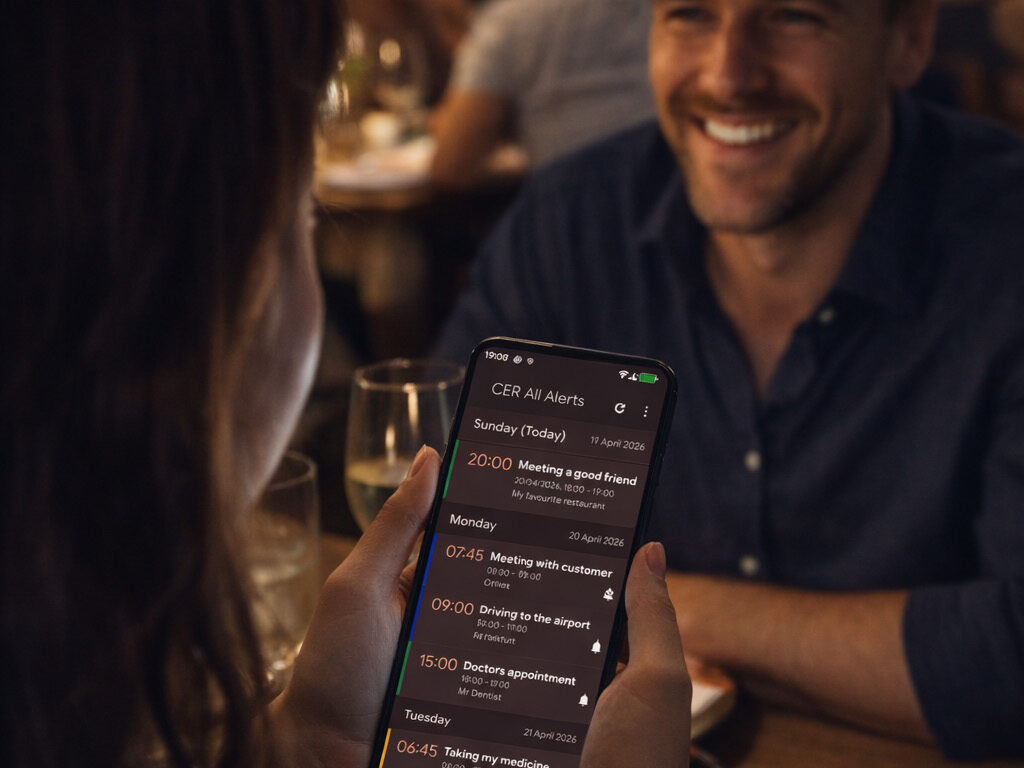
Organize your life
With customizable reminders and seamless calendar integration, our app ensures you stay on top of your important events effortlessly.
Discover the Power of CER
CER – CalendarEventReminder is designed to enhance your event scheduling experience like never before.
Our app offers customizable reminders and reliable alerts that keep you organized. Alongside its intuitive interface, CER integrates perfectly with your existing calendars. What sets us apart is our commitment to user satisfaction and continuous improvement. We listen to you! If you want a feature, please contact us!
Comprehensive Scheduling Solutions
Discover the unique features that set CER apart from other scheduling apps.
01.
02.
03.
Flexible Layout Options
You can use various features to customize the look & feel of the app and the alert dialog
The Story Behind CER App
Created in 2012, CER – CalendarEventReminder emerged from a vision to simplify how people manage their schedules. We started to create an innovative app that meets the diverse needs of our users, quickly gaining popularity and acclaim in the bustling world of productivity applications.
Discover How CER Transforms Scheduling
Real stories from users about their experience with the CalendarEventReminder app.

PHILIPPE G.

Emily Smith

Michael Brown

Sarah Johnson
Experience the Ultimate Scheduling Solution
Discover the endless use cases of CER


Stay On Time. Stay Trusted.
Stay ahead of every meeting and deadline with smart, persistent reminders that keep you on time and in control. Build trust, boost reliability, and show up prepared—every single time.
Make Every Moment Count.
Stay present for life’s most meaningful moments—CER makes sure you remember the people and events that matter most.
Never Miss What Truly Matters.
From daily routines to important moments—your personal organizer makes sure nothing slips through the cracks.
Transform Your Scheduling Experience with CER Now!
Download the CalendarEventReminder app and never miss an important date again!
FAQ
If you need help, here are the most important questions and answers.
How do I add events to my calendar?
You can use the + button in CER to open your favorite calendar app and create the event there. CER does not offer to create events directly as it seamlessly integrates with your favorite calendar app.
Does CER replace my calendar app?
No, it seamlessly integrates with your favorite app. This can either be the default Google Calendar app or any third party app that is using the standard Android calendar/event management.
However, CER let’s you view all the upcoming or past reminders that are associated to the events of your calendar. You can long-press them in the list and then use “view” or “edit” to open the event directly in your calendar app.
Can I have different settings per calendar?
Yes, of course! By default, CER uses the same settings for all calendars and their event reminders. But you can disable the global settings and then define per-calendar settings. You will then be asked if the global settings should be copied over to all individual calendar settings. If you once moved back to global settings, you can safely go back to individual settings without copying the global settings over again.
Can I export the settings and restore it on a different device?
Yes! From the settings use the bottom bar to export the settings to your phone or SD card. Then copy the cer-settings.xml to the other device and use the import button from the buttom bar.
Does CER store or transmit any personal data?
No. All your data is stored in the Android calendar database and CER just reads it for displaying alarms. There is no personal data from your device stored or sent anywhere by CER.
What happens if there are multiple reminders at the same time?
CER displays each alarm one after the other so you can be sure you won’t miss any.
There are more FAQs…
Contact Us
If you have further questions or concerns, feel free to contact us.